Just say it.
Press Ctrl+Alt+T and say “deep work tomorrow 9 to 11”. Claude checks your week, books a Focus block and tells you exactly what it did. No forms, no fiddling.
The calendar that holds the line. Say what you want to get done: Tempo books it, shuts out whatever would pull you away, and keeps today’s goals in view until they’re ticked.
Why Tempo
Press Ctrl+Alt+T and say “deep work tomorrow 9 to 11”. Claude checks your week, books a Focus block and tells you exactly what it did. No forms, no fiddling.
Gym. One LeetCode problem. Under 1,600 kcal. Your daily goals sit right beside your calendar, score themselves when you log a number, and build streaks worth protecting.
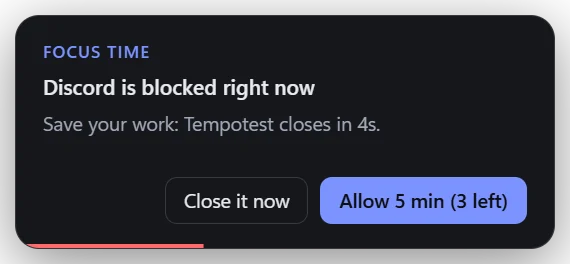
When a Focus block starts, Discord, Steam and YouTube get out of the way on their own. Truly need a minute? Take five. Then it’s back to work.
The app
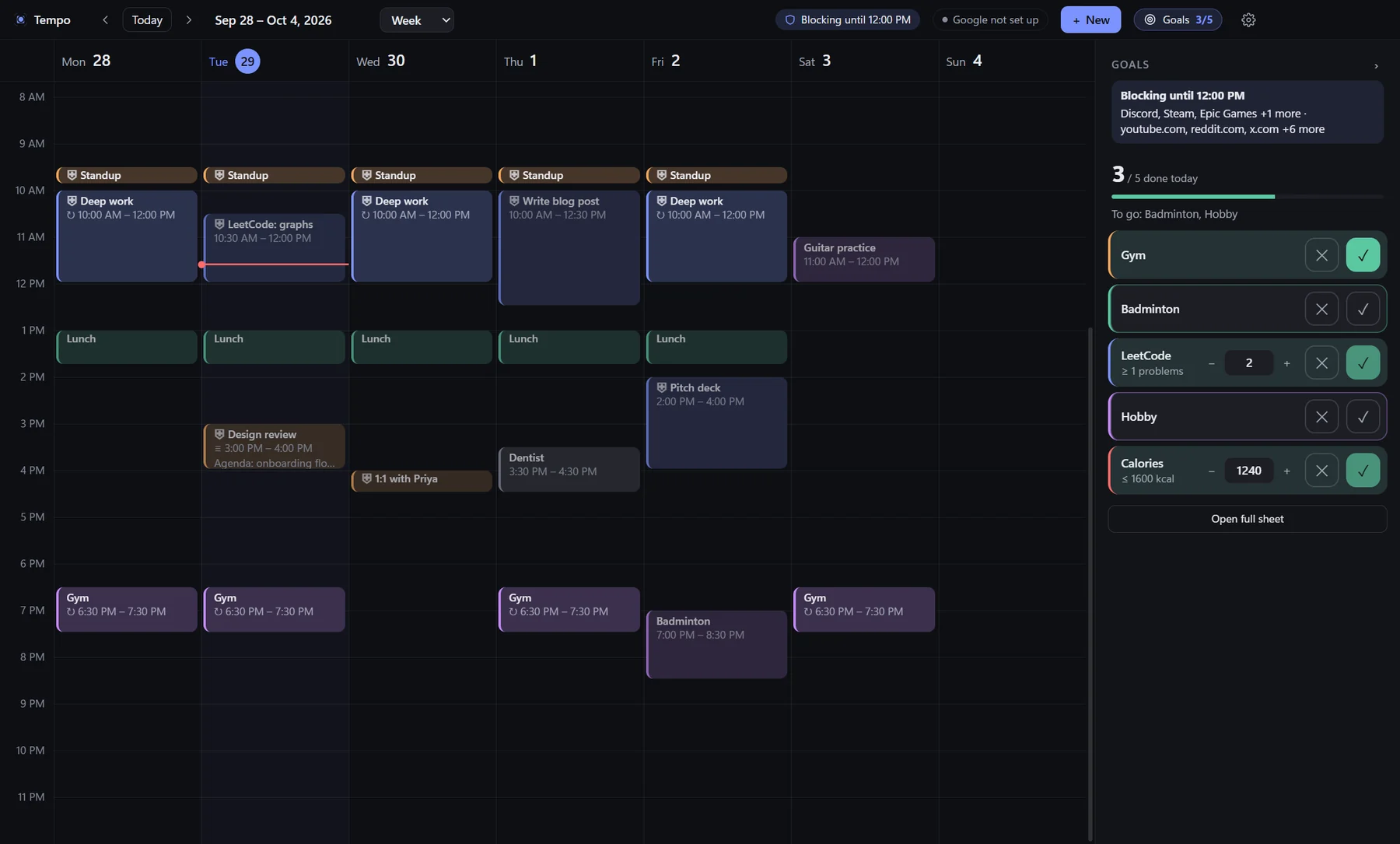
Focus blocks wear a shield, and the top bar tells you what’s blocked and until when. Your goals ride along on the right, or fold into a slim strip on smaller screens. What you promised yourself is never more than a glance away.
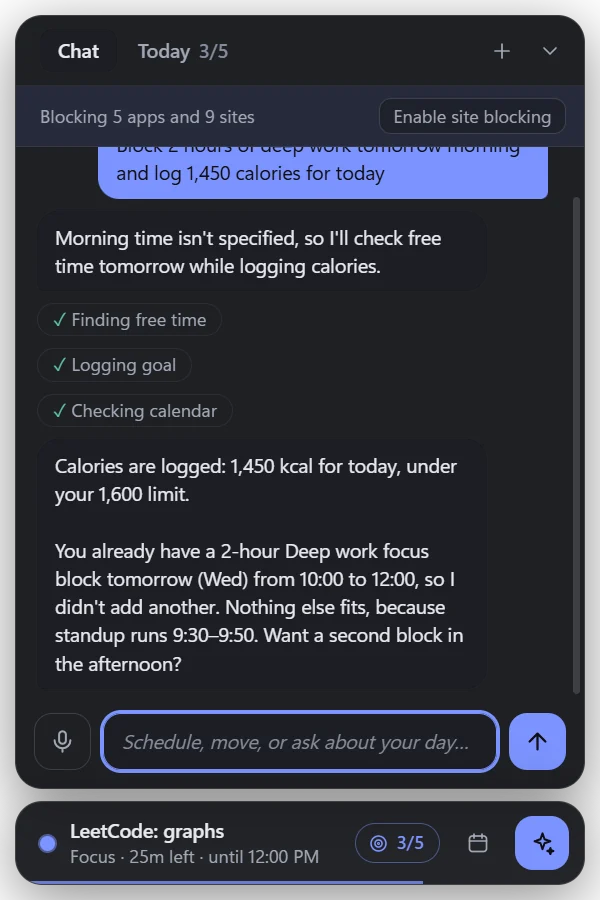
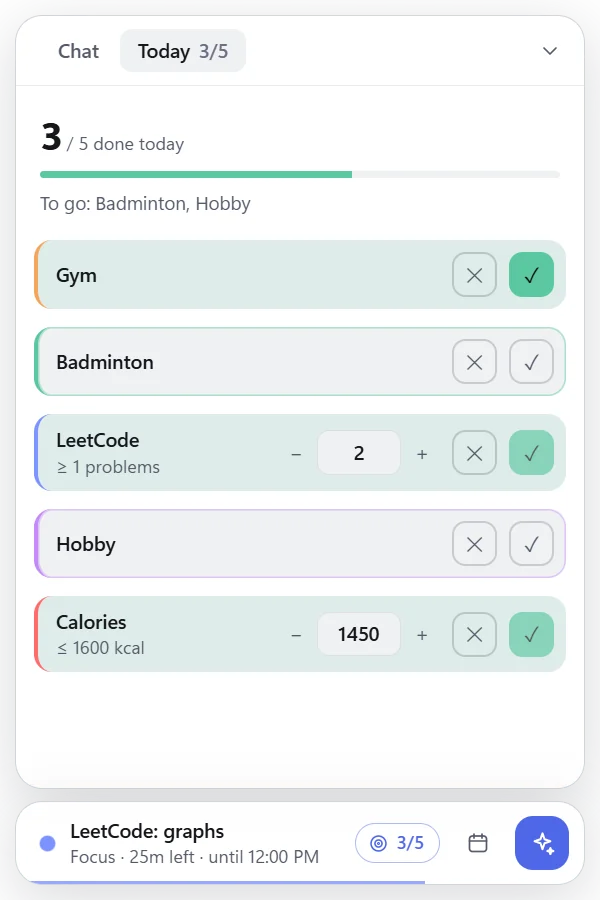
A small widget floats above your work: type or talk. In this real exchange, asked for two hours of deep work, it spotted the block already on the calendar and offered the afternoon instead. No double-booking, no surprises, and everything it does comes with Undo.
Runs on your Claude Code login, no API key needed, or on an Anthropic API key if you prefer.
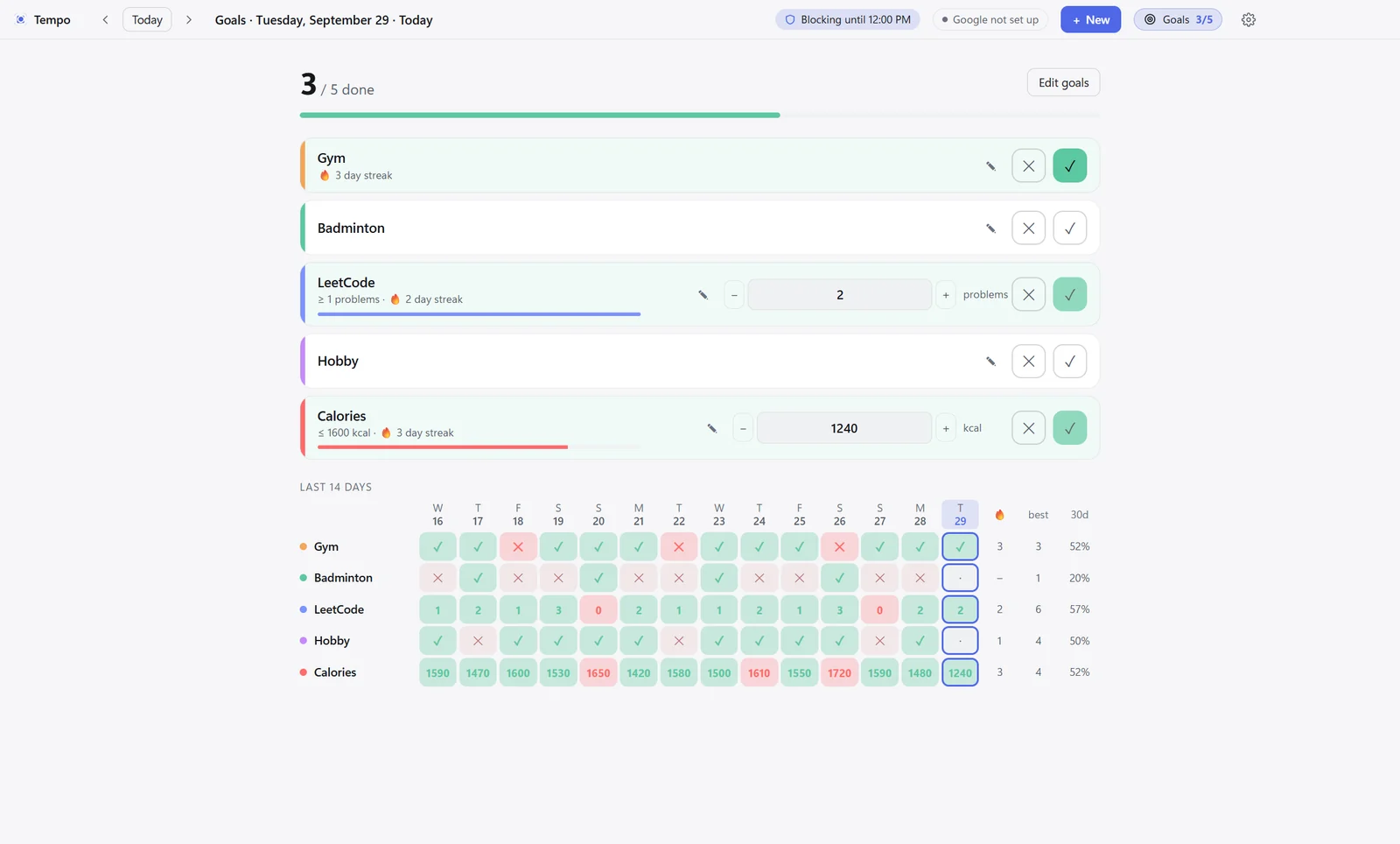
Tick-or-cross goals, or numbers with a target: at least one LeetCode problem, at most 1,600 kcal. Log what happened and Tempo scores it. Two weeks on one screen, with streaks and 30-day rates, so you know what’s sticking and what isn’t.
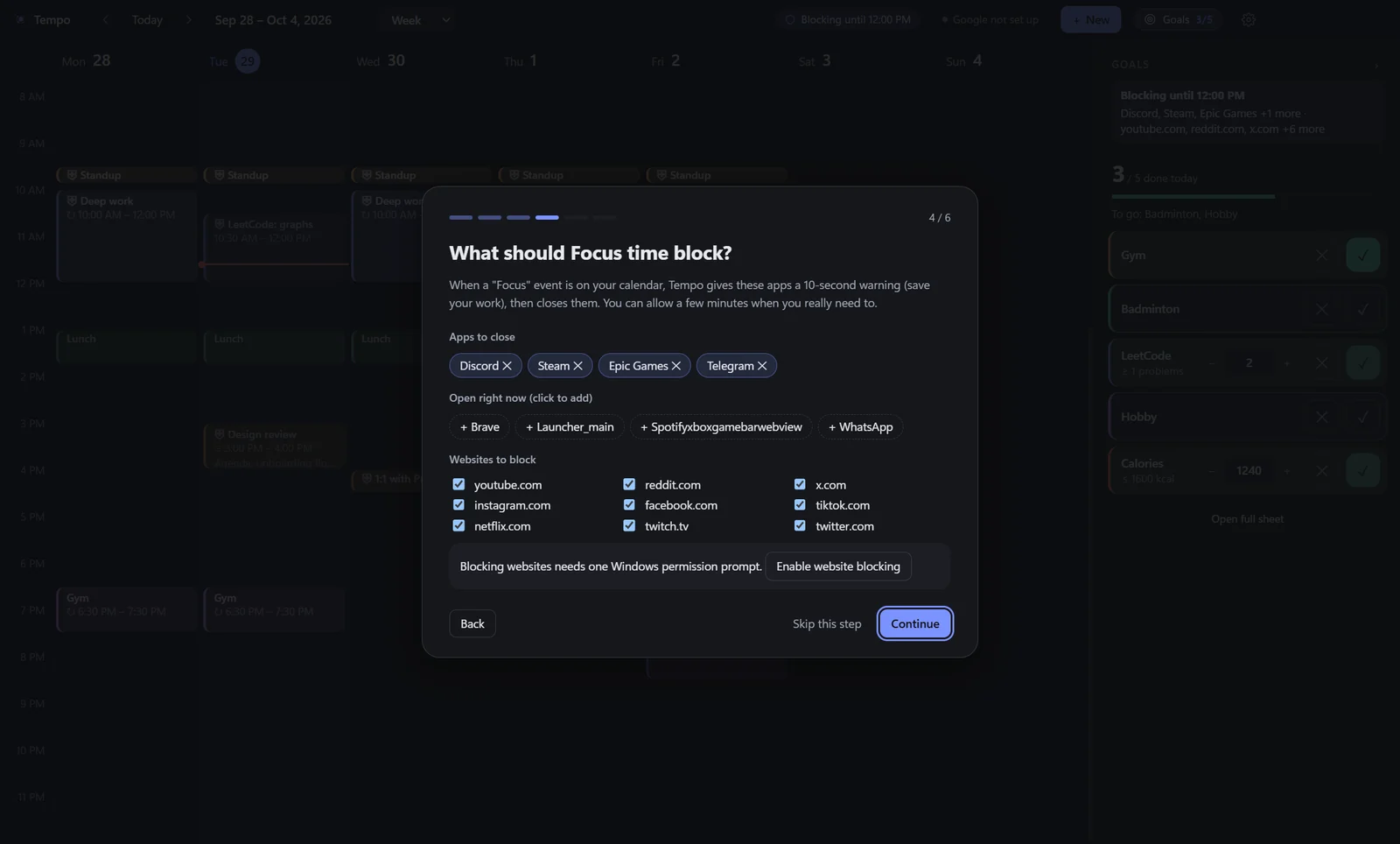
A guided setup picks your assistant, your goals and what Focus should block, chosen by name from the apps you actually have open. Connect Google Calendar in one step, or skip it entirely.
Focus blocks
Mark an event as Focus in the editor, or just say it. The editor tells you exactly what it will close and block.
Listed apps get a ten-second warning to save work, then close. Listed sites stop resolving until the block ends.
“Allow 5 min” is there, three times per block. Set it to zero when you want strict.
Everything comes back on its own the moment the block ends. Tempo itself never runs as administrator.
Two-way sync with your primary calendar, offline-first, with rich notes kept intact.
Daily, weekly on chosen days, monthly, yearly. Edit this event or all of them.
Every change, the assistant’s included, is one click from undone. Ctrl+Z works too.
Day, week, month, year or any range you like. Drag to create, move and resize.
Whisper runs on your machine, so your words appear as you speak and never leave it.
Today’s goals every morning, and a gentle nudge in the evening if some are still open.
Every event and goal is a keystroke away. Press ? to see them all.
Comes up quietly at sign-in as a small widget, and stays out of the way until you need it.
Brand


The ring is today’s progress, three quarters done. The hand is the beat that keeps it moving. It reads at 16 pixels and on a taskbar.
#7C93FFBrand, focus, primary actions#0E0F13Dark surfaces#5CC8A1Goals met, progress#FF6B6BOver a limit, missed#F2A65AMeeting blocks#C58AF9Personal timeFree and open source. All you need is Windows 10 or 11, Node.js 22 or later, and either Claude Code (signed in) or an Anthropic API key.
# get Tempo
git clone https://github.com/singhutsav5502/Tempo.git
cd Tempo
npm install
npm start
First launch walks you through setup. No installer yet, so it runs from source; turn on “Start Tempo when I sign in” and it comes up quietly with Windows.
Built by Utsav Singh. Questions or ideas: email or GitHub issues.